


Drop-In Identity Verification, Skip the Front-End Build
DocuPass ships the full verification UI — document capture, face match, liveness, eSignature. The only code you write is the call that creates a session and the webhook that receives the verdict.
- ✓ISO 27001:2022 Certified
- ✓Documents From 200+ Countries
The Fastest Path From Idea to Live KYC
A full identity verification flow without the build. Generate a session, share the link, and pipe the result back through a webhook — the engineering effort fits inside one afternoon.
Ship today — no API integration, no developer ticket queue.
Full ID, face, AML, and eSignature flow out of the box.
White-label UI in 70+ languages, your colors and logo.
Real-time webhook callbacks the moment verification completes.

Three Screens, One Verification Session
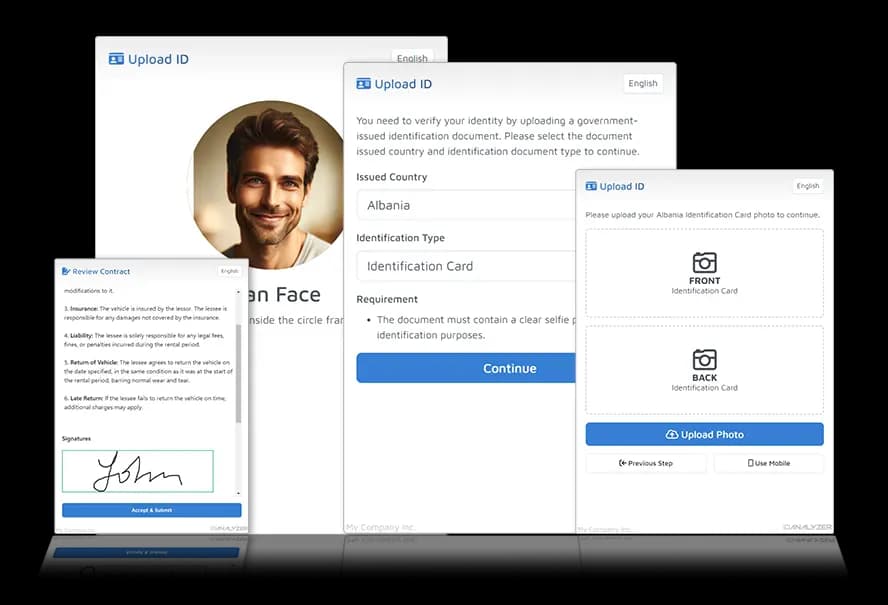
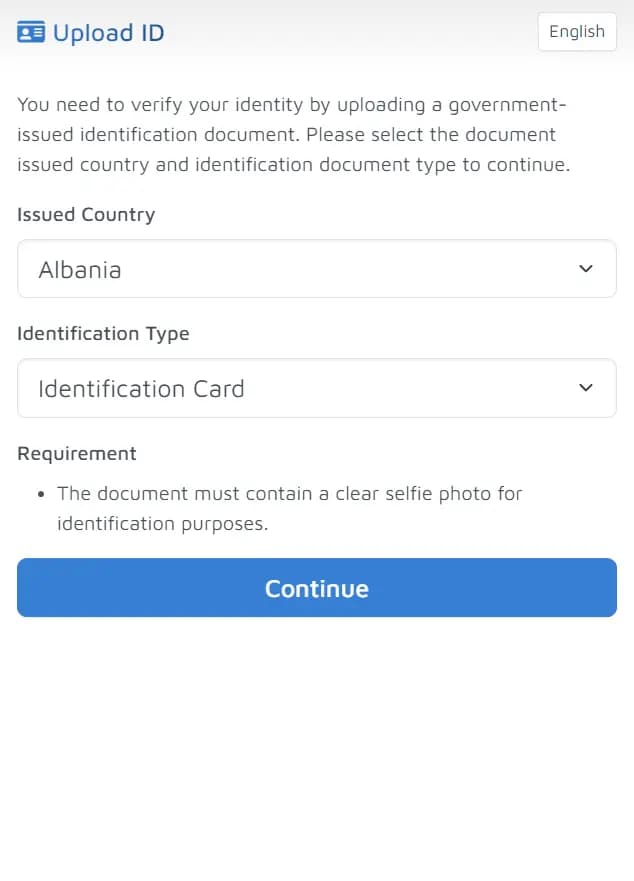
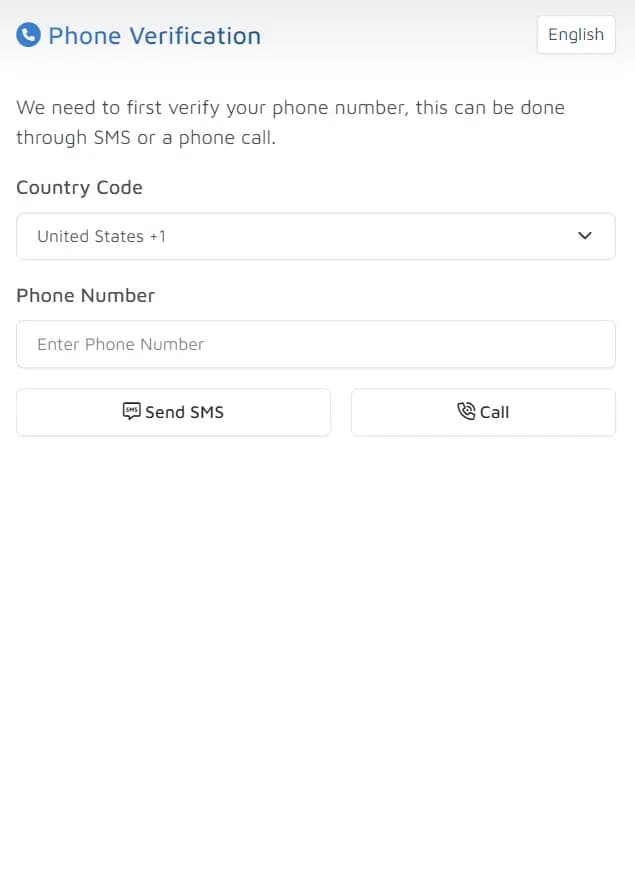
DocuPass ships with the full verification UI — document capture, face match with liveness, and signature collection. Toggle any step on or off per session, no separate front-end build.
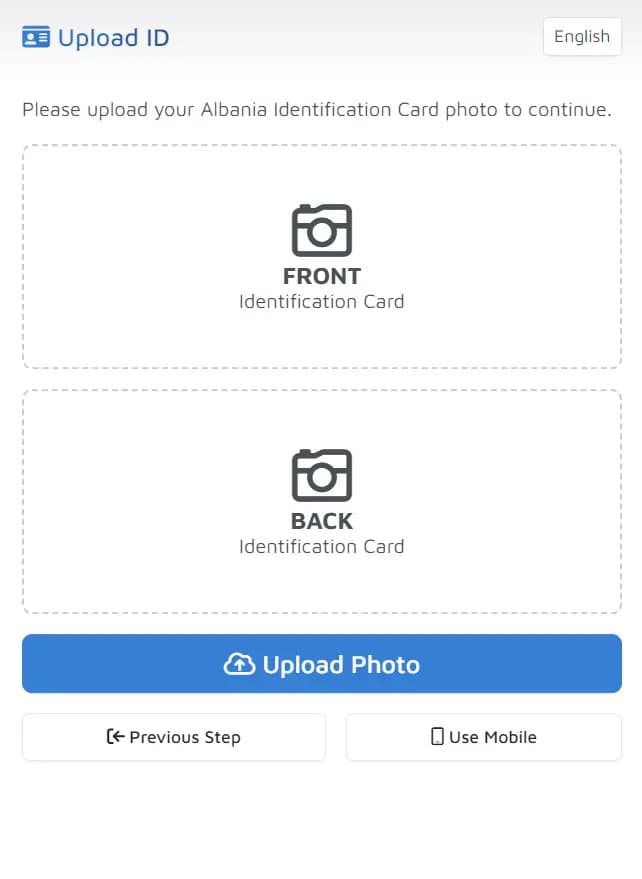
Document Capture
- Pick from 3,000+ accepted document formats per session.
- Force live camera capture or allow file upload.
- Auto-crop, deskew, and quality check before submission.
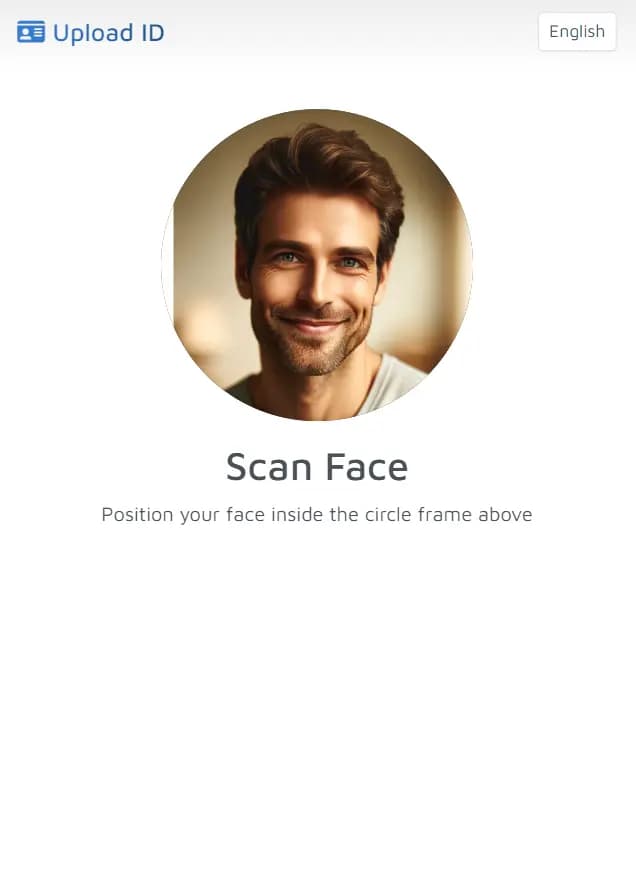
Face Match & Liveness
- Guided selfie capture with on-screen framing hints.
- Active and passive liveness — blocks photos of photos.
- Biometric match scored against the document portrait.
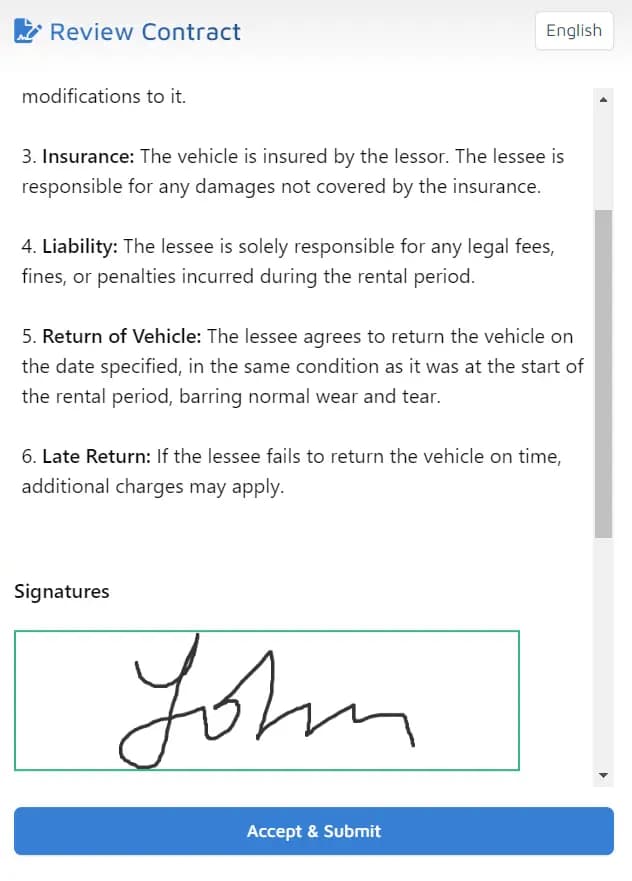
eSignature & Custom Forms
- Auto-fill contracts from OCR output, then collect a signature.
- Custom Q&A fields to gather any extra info you need.
- Phone verification step optional, OTP delivered via SMS.

Four Ways to Get DocuPass in Front of Users
Drop the widget into your site as an iframe, redirect to a hosted page, share a QR code at the counter, or embed the native iOS, Android, Flutter, or React Native SDK in your app. Same verification engine on every surface.
Iframe Widget
Drop the verification flow straight into a page on your site.
Hosted Page
Redirect users to a DocuPass-hosted verification URL.
QR Code
Print or display a QR code to move users to their phone.
Native Mobile SDK
Embed the native iOS, Android, Flutter, or React Native SDK — on-device scan & liveness, no WebView.
Who Ships DocuPass
Regulated industries with high onboarding volume and no appetite for a six-month KYC build. DocuPass handles capture, verification, and audit — the operations team gets results in the portal, the engineering team gets a webhook.
- Fintech & Crypto Exchanges
- Telecom & Mobile Operators
- Travel, Mobility & Rentals
- Healthcare, Pharmacy & Insurance
DocuPass Live Demo
Run a real verification right in your browser. Pick the checks, launch the flow, scan an ID and take a selfie — then pull the structured result back.
Loading demo engine…
From Session Created to Webhook Callback
The same five steps every DocuPass integration follows. Wire it up once, every future verification rides the same path.
Create a Session
POST to the DocuPass endpoint with the steps you want — document scan, face check, eSignature, custom form. The API returns a unique session URL.
Share the Link
Email or SMS the URL, drop it as an iframe, render it as a QR code at the counter, or embed the native iOS, Android, Flutter, or React Native SDK in your mobile app.
User Completes the Flow
The customer opens the link, uploads or captures their document, and takes a guided selfie. The UI ships in 70+ languages with your branding.
AI Verifies in Seconds
OCR pulls every field, tamper forensics check for forgery, biometric match scores the selfie, and AML screens against sanctions and PEP lists.
Webhook Lands in Your Backend
A real-time callback with the full result — extracted fields, accept/review/reject verdict, signed contract, and a full audit trail.
Questions Teams Ask Before They Ship
Six questions that came up most often in DocuPass sales calls. If yours isn't covered, the Talk to Sales link in the menu reaches a human in under an hour.
DocuPass is a drop-in identity verification flow. It ships the full UI — document capture, face match with liveness, eSignature, custom forms, phone verification — accessible as an embeddable widget, hosted page, QR code, direct URL, or a native mobile SDK (iOS, Android, Flutter, React Native). You still write two pieces of code: the API call that creates a session, and the webhook handler that receives the verdict. The verification UX, browser camera handling, retries, and multi-language support all live on our side.
Embedding DocuPass takes a few lines of code. You can integrate it as an iframe widget on your webpage, redirect users to a hosted verification page, generate a QR code for mobile scanning, share a direct URL link, or drop in the native iOS, Android, Flutter, or React Native SDK. The API returns a session URL that you embed however works best for your flow.
DocuPass ships with a user interface in 70+ languages, suitable for global deployment. The verification engine reads documents from 190+ countries in their native scripts, and the UI language can be set per session based on the user's preference.
Yes. Toggle steps on or off per session (document scan, face verification, eSignature, phone verification, custom forms). Set your own branding, colors, and accepted document types. Add custom Q&A fields. Everything configurable through the API or the web portal.
Building from scratch means writing the verification UI, integrating an OCR engine, training or buying a face-match model, layering on liveness, wiring sanctions screening, and maintaining all of it forever. DocuPass ships every piece except the two integration points you keep — the session POST and the webhook receive. Plan a quarter for the full build, an afternoon for DocuPass.
DocuPass runs on ID Analyzer's ISO 27001 certified infrastructure. All data transits over encrypted connections, and verification data can be auto-purged after processing. The platform supports KYC, AML, GDPR, and HIPAA workflows through configurable data-handling policies.
Ship KYC for Your Product in a Single Afternoon
Free trial credits on signup, no card required. Generate a verification link or embed DocuPass into your product in minutes.
No Credit Card Required
Free Trial Credits on Signup